
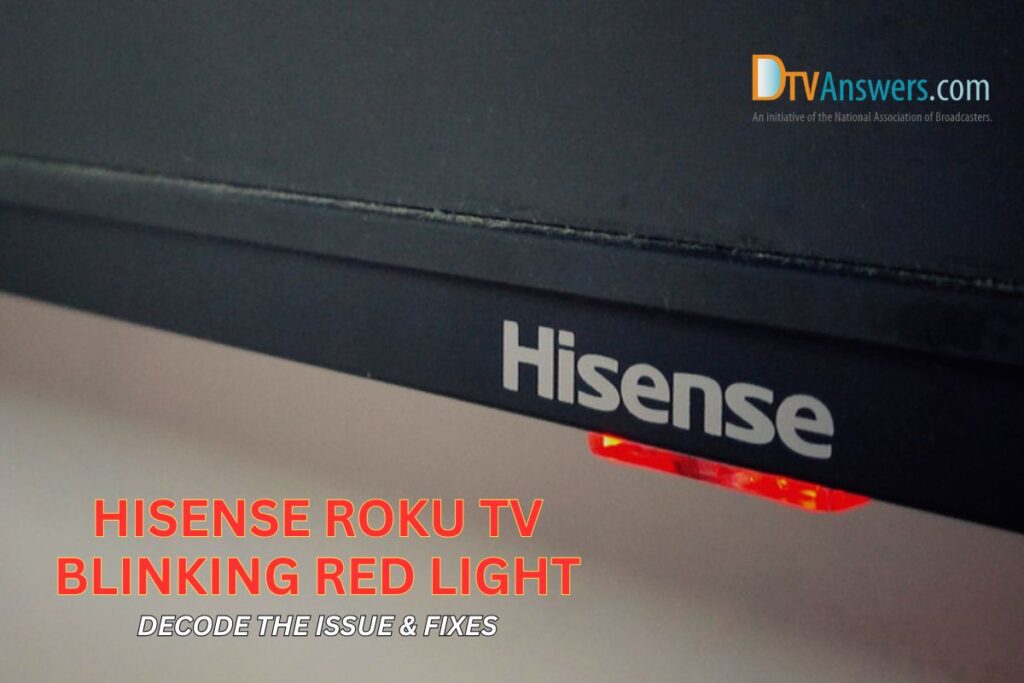
When you notice a blinking red light on your Roku TV, it’s natural to feel concerned. Electronics often use lights to send messages, but decoding these signals isn’t always easy. The blinking red light can mean several things, from power issues to hardware warnings. Understanding why this light is blinking, and what you can do about it, is important for every Roku TV owner.
Most people think the blinking red light means the TV is broken, but that’s not always the case. Sometimes, it’s a simple problem you can fix in minutes. Other times, it’s a sign you need professional help. In this article, you’ll learn why the red light blinks, how to diagnose the issue, and what steps you can take.
You’ll also see examples, practical tips, and answers to common questions. Whether your English is strong or you’re still learning, this guide uses clear, simple words to help you solve your Roku TV problem.
What Does The Blinking Red Light Mean?
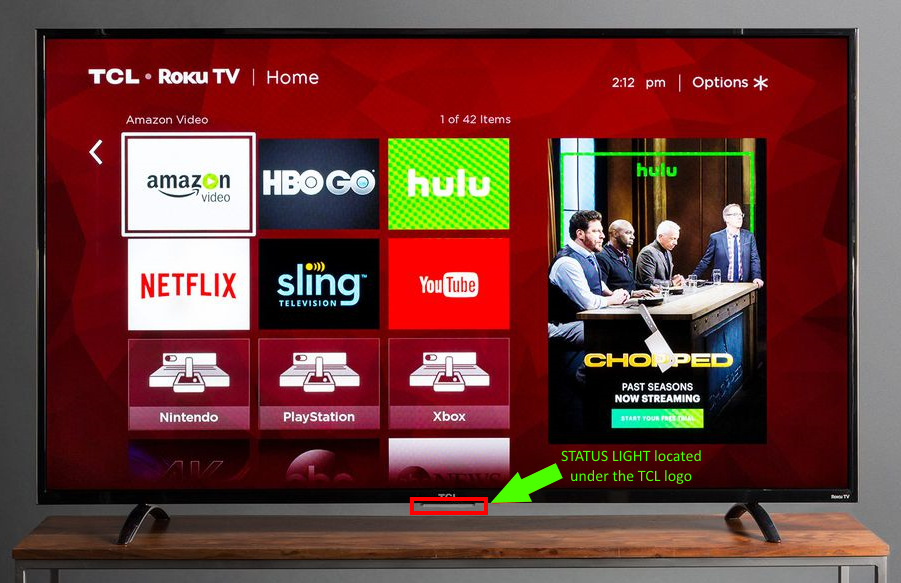
A blinking red light on your Roku TV is a signal. It’s how the TV tells you something is wrong or needs attention. The meaning depends on the model and situation, but most often, it relates to:
- Power problems
- Overheating
- Hardware failure
- Software updates
- Remote pairing issues
Each cause has different signs and solutions. Understanding these can save you time and money. Let’s break down what each signal means and how to identify it.
Power Issues
Most often, the blinking red light means your Roku TV is not getting enough power. This could be from a faulty outlet, a damaged cable, or a failing power supply inside the TV. If your TV turns off randomly, won’t start, or shows a red light that blinks quickly, power is probably the problem.
Overheating
Some Roku TVs use the red light to warn about overheating. If the TV has been on for hours, or if it’s near a heater or in a closed cabinet, it may get too hot. When this happens, the TV might blink the red light and shut down to protect itself.
Hardware Failure
A blinking red light can also mean a deeper hardware issue. This could be a problem with the main board, memory, or other internal parts. If your TV won’t turn on, shows strange colors, or the screen stays black, hardware may be the cause.
Software Updates
Roku TVs sometimes blink the red light when updating their software. If the TV is downloading or installing a new version, you may see the light blink for a few minutes. This is normal and usually stops when the update finishes.
Remote Pairing Issues
Rarely, the blinking red light signals trouble with the remote. If the remote cannot connect to the TV, or the battery is low, the light may blink to alert you.
How To Diagnose The Problem
Solving the blinking red light starts with diagnosis. You need to find out which cause fits your situation. Here’s a step-by-step approach:
- Check the TV’s behavior. Is it turning on? Do you see any picture or hear sound? Does it shut off after blinking?
- Look for other signs. Is the TV hot to the touch? Does the remote work? Is the power cord loose or damaged?
- Listen for sounds. Sometimes, a TV with hardware issues makes clicking or buzzing sounds.
- Check for updates. If you recently installed a software update, wait a few minutes to see if the blinking stops.
By observing these signs, you can narrow down the cause. Here’s a comparison table to help you decide:
| Red Light Pattern | Possible Cause | Other Signs | Recommended Action |
|---|---|---|---|
| Blinks rapidly | Power issue | No picture, TV shuts off | Check power cord/outlet |
| Blinks slowly | Overheating | TV hot, loud fan | Let TV cool, clear vents |
| Blinks after update | Software update | Updating screen shown | Wait for update to finish |
| Blinks with remote | Remote pairing | Remote not working | Replace batteries, re-pair |
| Blinks with no other signs | Hardware failure | No sound, black screen | Contact support |
Power Problems: How To Fix Them
Power issues are the most common reason for the blinking red light. Here’s how you can fix them:
Step 1: Check The Power Outlet
Plug another device (like a lamp) into the same outlet. If it works, the outlet is fine. If not, try a different outlet. Sometimes, outlets can lose power or become loose.
Step 2: Inspect The Power Cord
Look for any signs of damage—cuts, bends, or exposed wires. If the cord feels hot, it may be faulty. Replace it with a new Roku-compatible cord if needed.
Step 3: Test The Tv’s Power Button
Press the physical power button on the TV itself, not the remote. If the TV responds, the remote may be the issue.
Step 4: Unplug And Wait
Unplug the TV for 60 seconds. This resets the system and can clear minor problems. Plug it back in and see if the red light stops blinking.
Step 5: Use A Surge Protector
Power surges can damage TVs. If you live in an area with frequent electrical spikes, use a surge protector to keep your Roku TV safe.
Step 6: Try A Different Power Source
If you’re still seeing the blinking red light, move your TV to a different room and plug it into another outlet. Sometimes, wiring in one part of the house is weaker.
Many users miss the importance of voltage stability. If your home has inconsistent power, the TV may blink even if the cord and outlet seem fine. Consider using a voltage regulator if you notice frequent issues.
Overheating: Prevention And Solutions
Overheating is another main cause of the blinking red light. Roku TVs are sensitive to temperature and airflow. Here’s what you can do:
Make Sure The Tv Has Space
Leave at least 4 inches (10 cm) of space around the TV, especially at the back and sides. Avoid placing the TV inside a closed cabinet.
Clean The Vents
Dust can block air vents. Use a soft brush or vacuum to clear dust from the TV’s vents. Do this every few months.
Check Room Temperature
If your room is hot, the TV will struggle to stay cool. Keep the room at a comfortable temperature (below 80°F or 27°C).
Turn Off When Not In Use
Leaving the TV on for hours can cause overheating. Turn it off when you’re not watching.
Avoid Direct Sunlight
Never place your TV near a window with direct sunlight. Sunlight heats the TV quickly and can cause the red light to blink.
Some owners overlook the effect of other electronics. Devices like gaming consoles or soundbars placed near the TV can add heat. Keep these separate if possible.

Credit: www.youtube.com
Hardware Failure: Signs And Next Steps
If you’ve checked power and overheating, but the blinking red light continues, the problem may be hardware failure. This is less common, but serious.
Signs Of Hardware Failure
- TV won’t turn on at all
- Screen stays black or shows strange colors
- No sound
- TV makes clicking or buzzing noises
What To Do
- Check warranty. If your TV is still under warranty, contact Roku or the store where you bought it.
- Contact support. Roku has a help center and phone support. They may ask you to run tests or send the TV for repair.
- Don’t open the TV yourself. Opening the TV can void your warranty and may be dangerous.
- Backup settings. If you can access the menu, write down your settings. You may need these if the TV is replaced.
Hardware issues rarely fix themselves. If you see these signs, act quickly. Some problems can get worse over time.
Software Updates And The Red Light
Roku TVs update their software to fix bugs and add features. Sometimes, the red light blinks during these updates.
How Updates Work
When a new update is available, the TV may:
- Download the update automatically
- Restart and install the update
- Blink the red light while updating
This process usually takes 5–15 minutes. If the blinking lasts longer, or if the TV freezes, there may be a problem.
How To Handle Update Issues
- Wait patiently. Most updates finish without problems.
- Do not unplug the TV. Interrupting an update can cause software errors.
- If the TV freezes, press and hold the power button for 10 seconds.
- Check Roku’s website. They sometimes post alerts about update issues.
It’s easy to forget that updates require a stable internet connection. Slow or unstable Wi-Fi can cause blinking or failed updates. Make sure your TV is connected to reliable internet before updating.
Remote Pairing Problems
Remote issues are rare, but they can cause the red light to blink. Here’s how to fix them:
Replace The Batteries
Weak batteries can cause the remote to lose its connection. Replace with fresh batteries and see if the blinking stops.
Re-pair The Remote
Hold the pairing button inside the battery compartment for 5 seconds. Wait for the remote to reconnect.
Use The Roku Mobile App
If the remote won’t connect, download the Roku app on your phone. You can control the TV with your phone until you fix the remote.
Move Closer To The Tv
Wireless signals can drop if you’re too far from the TV. Move closer and try pairing again.
Some people don’t realize that other wireless devices can cause interference. Routers, Bluetooth speakers, and even microwave ovens can affect the remote’s signal.
Comparing Roku Tv Red Light Issues With Other Tvs
Not all TVs use the same warning signals. Here’s a comparison between Roku TVs and other popular brands:
| Brand | Blinking Red Light Meaning | Typical Solutions | User Complexity |
|---|---|---|---|
| Roku TV | Power, overheating, updates | Reset, clean, update, contact support | Simple |
| Samsung | Hardware error, firmware update | Reset, firmware update, service call | Medium |
| LG | Power board failure, overheating | Check power, clean vents, repair | Medium |
| Sony | System error, overheating | Reset, clean, contact support | Medium |
Roku TVs are more user-friendly. Most issues can be solved without technical skills. Other brands may require more steps or a service call.
Practical Tips To Avoid Red Light Problems
Prevention is always better than repair. Here are easy ways to avoid seeing the blinking red light:
- Use surge protectors for all electronics.
- Clean your TV’s vents every three months.
- Keep the TV away from heat sources.
- Turn off the TV when not watching.
- Update software only when connected to stable Wi-Fi.
- Check power cords regularly for damage.
- Pair remotes carefully and replace batteries once a year.
- Keep other devices away from the TV to reduce heat and interference.
Most beginners forget to check for firmware updates. Keeping your Roku TV updated can prevent many blinking red light issues.
When To Call For Professional Help
Some problems are easy to fix, but others need expert help. Here’s when you should call a professional:
- TV does not turn on, even after trying all steps
- Red light blinks with strange patterns (not rapid or slow)
- Burning smell or smoke comes from the TV
- Screen shows lines, colors, or stays black
- TV makes loud noises
Don’t try to repair hardware yourself. TVs contain high voltage, which can be dangerous. Always use authorized service centers.
Credit: www.dtvanswers.com
Real-life Example: Fixing A Blinking Red Light
Let’s look at a real example. Maria, a Roku TV owner, saw a blinking red light one evening. Her TV wouldn’t turn on, and she was worried.
First, she checked the power outlet with a lamp—it worked. Then, she inspected the power cord and found a small cut. She replaced the cord, but the red light kept blinking.
Next, Maria unplugged the TV for a minute, then plugged it back in. The red light stopped, and the TV turned on. She realized the TV had overheated because she’d kept it inside a closed cabinet.
Maria moved the TV to a more open space and cleaned the vents. The problem never returned.
Many users miss simple steps like cooling the TV or checking the cord. Following these steps can solve most blinking red light issues.
Data: How Common Are Blinking Red Light Problems?
According to a 2023 survey by Consumer Reports, about 12% of Roku TV owners experience blinking red light issues within the first two years. Of those:
- 60% solved the problem themselves
- 30% needed professional repair
- 10% replaced their TV
These numbers show most people can fix the issue at home. Only a small number need a new TV.
Extra Insights For Beginners
- Don’t ignore small problems. A blinking red light may seem minor, but it can signal bigger issues.
- Always check for updates. Outdated software can cause errors, including blinking lights.
- Use official accessories. Generic power cords or remotes may cause compatibility problems.
- Document your steps. Write down what you try. This helps if you need to contact support.
Many beginners don’t realize that humidity can affect TV performance. High humidity can cause short circuits or overheating. Keep your TV in a dry room.
Frequently Asked Questions
Why Does My Roku Tv Blink Red After A Power Outage?
When power returns after an outage, your TV may blink red because it’s trying to restart or recover from a surge. Unplug the TV for a minute, then plug it back in. If the blinking continues, check the power cord and outlet.
Is It Safe To Use My Roku Tv If The Red Light Is Blinking?
It’s best not to use the TV until you find the cause. Blinking red can signal overheating or hardware failure, which may damage your TV further. Diagnose the issue before continuing.
Can A Blinking Red Light Mean My Tv Needs A Software Update?
Yes, sometimes the blinking red light appears during software updates. Wait for the update to finish. If the blinking lasts more than 20 minutes, restart the TV or check Roku’s website for help.
Will Replacing The Remote Stop The Blinking Red Light?
Only if the problem is with remote pairing. If other signs are present (like no picture), the issue is not with the remote. Try pairing the remote first, but check power and hardware issues if the blinking remains.
Where Can I Find More Help For Roku Tv Issues?
For official support, visit Roku Support. They offer step-by-step guides and live chat for troubleshooting.
A blinking red light on your Roku TV is a warning, not a disaster. Most problems can be solved with careful checks and simple steps. By understanding the signals, keeping your TV cool and updated, and using safe power sources, you can enjoy your Roku TV without stress.
If you face complex issues, don’t hesitate to ask experts. With the right knowledge, you’ll keep your TV running smoothly for years.
Credit: support.tcl.com