
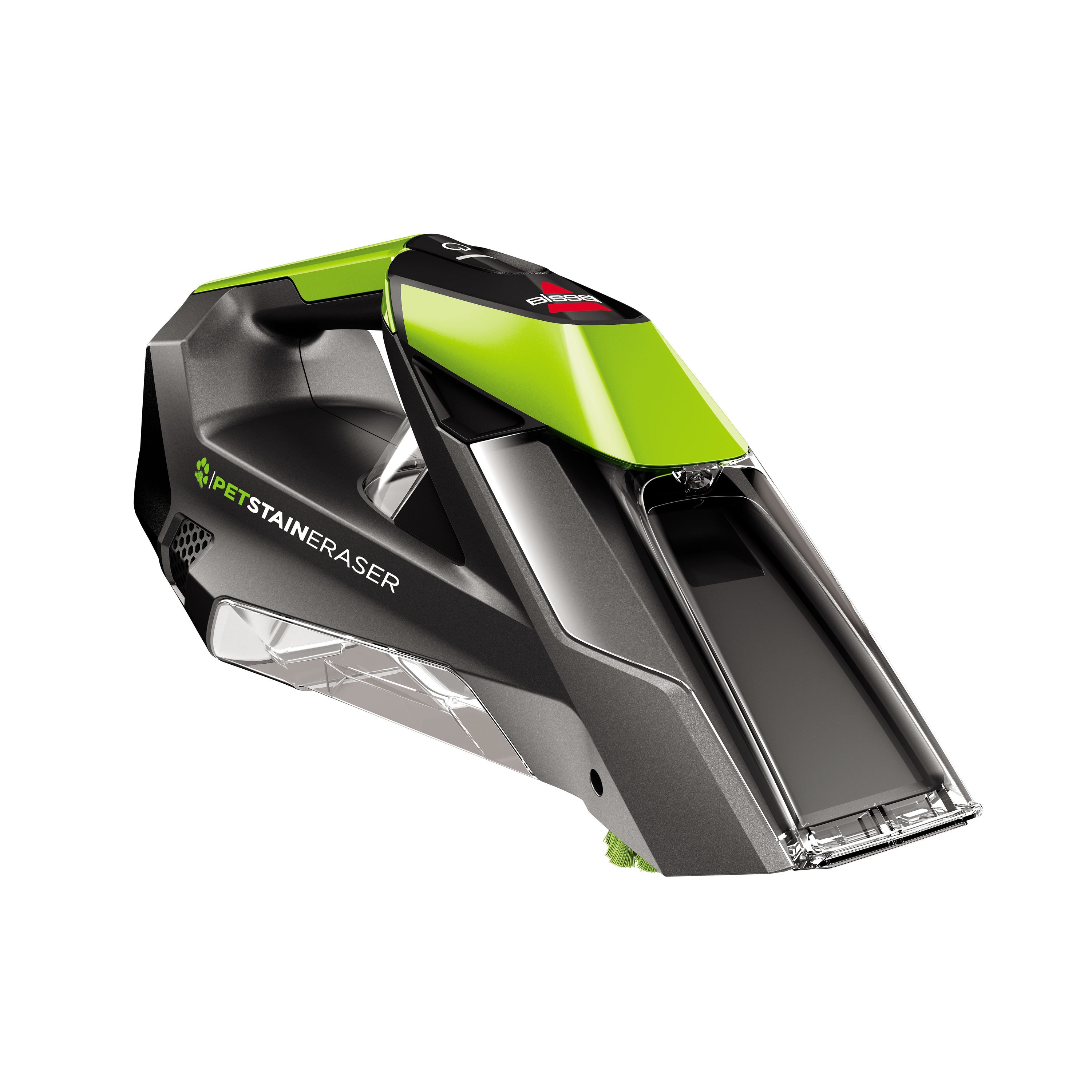
If you use a Bissell Pet Stain Eraser, you know how valuable it is for cleaning up after pets. But sometimes, the device can show signals that are confusing, especially when charging. One of the most common is the 3 blinking blue lights while charging. This simple indicator can raise many questions: Is my device faulty? Did I charge it correctly? Is it safe to use? Understanding what these blinking lights mean is essential for keeping your Bissell running and your home clean.
Let’s look closely at why the Bissell Pet Stain Eraser shows 3 blinking blue lights when charging, what each blinking pattern means, how you can fix issues, and how to maintain your device for the long term. We will also compare similar devices, discuss common errors, and answer the most frequent questions. This guide will help you become confident in using and troubleshooting your Pet Stain Eraser, so you spend less time worrying and more time enjoying a clean, fresh home.
Understanding The Bissell Pet Stain Eraser’s Charging Lights
The Bissell Pet Stain Eraser uses LED indicator lights to communicate its charging and battery status. These lights are the main way the device “talks” to you. If you notice 3 blue lights blinking while the cleaner is charging, it’s important to understand what your unit is trying to tell you.
What Do The Lights Mean?
Most Bissell Pet Stain Eraser models (like the 2003, 2054, and newer versions) use a simple light system:
- Solid blue lights: The device is fully charged.
- Single blinking blue light: The battery is low or charging has started.
- Multiple blue lights blinking: Indicates different stages of charging or possible errors.
If you see 3 blue lights blinking in sequence while charging, your device is usually communicating a specific status. Let’s break this down:
1. Normal Charging Progress
During charging, the Pet Stain Eraser often shows a progress bar using blue lights. As the battery fills, more lights stay solid, and the next one blinks:
- 1 blinking light: 0-33% charged
- 2 blinking lights: 34-66% charged
- 3 blinking lights: 67-99% charged
So, if you see 3 blue lights blinking in order, your device is nearing a full charge but is not quite finished. This is a normal sign, not a problem.
2. Error Or Fault Condition
Sometimes, 3 blue lights blinking together (not in sequence) can mean there’s a charging error. This can happen if:
- The charger is not plugged in correctly
- There’s a problem with the battery
- The charging contacts are dirty
If the lights blink together rapidly and charging does not complete, it’s time to check for problems.
3. Battery Nearing Full Charge
As your Bissell nears a full charge, the 3 blue lights might blink and then switch to solid. This is the unit’s way of showing you’re almost ready to clean. If it stays blinking for a long time or never turns solid, there could be an issue.
Why The Light Pattern Matters
Understanding these signals is important for two reasons:
- It helps you know when the device is ready for use.
- It lets you catch problems early, so you avoid battery damage or cleaning interruptions.
Many users ignore the blinking lights or don’t realize they’re a warning sign. Paying attention can save you time and money.
Causes Of 3 Blinking Blue Lights When Charging
There are several reasons why your Bissell Pet Stain Eraser might show this pattern. Let’s look at the main causes and what they mean for your device.
1. Normal Charging Sequence
Most of the time, 3 blinking blue lights mean the battery is charging and almost full. Just leave the device on the charger until the lights turn solid.
- Charging time: Around 4 hours for a full charge, depending on model and battery age.
- Tip: Unplugging too soon may reduce cleaning time.
2. Loose Or Faulty Charger Connection
If the charger is not plugged in all the way, or if the wall outlet is faulty, the device may keep blinking without finishing the charge.
- Try this: Remove and reinsert the charger. Use a different outlet if possible.
- Look for: Signs of damage on the charger or cable.
3. Dirty Charging Contacts
Pet hair, dust, or liquid can get onto the charging contacts, making it hard for the device to charge properly. This is a common issue in homes with pets.
- Solution: Use a dry cloth or cotton swab to clean the contacts on both the device and the charger.
- Never use: Water or cleaning sprays directly on the contacts.
4. Battery Or Circuit Fault
If your device is old or has been dropped, the battery or internal circuit could be damaged. This might cause the lights to blink but never go solid.
- Warning signs: The device won’t turn on, or loses charge quickly.
- Possible fix: Battery replacement (if available) or contacting Bissell support.
5. Temperature Issues
If the device is too hot or too cold, charging may not complete. The lights might blink to warn you.
- Advice: Charge indoors at room temperature. Avoid direct sunlight or freezing garages.
Credit: www.lowes.com
How To Troubleshoot 3 Blinking Blue Lights
If your Bissell Pet Stain Eraser keeps showing 3 blinking blue lights while charging, follow these steps to solve the problem.
Step 1: Check The Power Source
Make sure the charger is plugged in firmly and the wall outlet has power.
- Test with another device (like a phone charger) to confirm the outlet works.
- Avoid using extension cords or power strips when troubleshooting.
Step 2: Inspect The Charger And Cable
Look for signs of wear, fraying, or bent pins on the charger. Chargers can go bad over time, especially if they are stepped on or pulled.
- If possible, try a second compatible Bissell charger.
- Do not use generic chargers unless they are certified for your model.
Step 3: Clean The Charging Contacts
Unplug the device. Use a dry cotton swab or soft cloth to gently clean both the device and charger contacts. Even a small amount of pet hair can block charging.
- Wait for a few minutes before plugging back in.
Step 4: Let The Device Cool Down
If you have just finished cleaning and the device feels warm, let it rest for 30 minutes before charging. Overheated batteries may not charge properly.
Step 5: Try A Reset
Some Bissell Pet Stain Eraser models have a reset function:
- Disconnect the charger.
- Hold down the power button for 20 seconds.
- Reconnect the charger and watch the lights.
If your model does not have a reset button, just leave it unplugged for a few minutes before trying again.
Step 6: Observe The Light Pattern
Note if the 3 blue lights:
- Blink in sequence (normal charging)
- Blink together rapidly (possible error)
- Never turn solid (possible battery fault)
This will help you communicate clearly if you contact customer support.
Step 7: Contact Bissell Support
If the above steps do not solve the problem, reach out to Bissell’s customer service. They may offer battery replacement, repair, or other solutions.
- Have your model number and serial number ready.
- Be ready to describe the light pattern and what you have already tried.
Comparing The Bissell Pet Stain Eraser To Similar Devices
Many pet owners wonder if other portable stain cleaners work the same way or if their charging systems are more reliable. Here’s a comparison of the Bissell Pet Stain Eraser and two popular alternatives: the Hoover ONEPWR Spotless GO and the Rug Doctor Portable Spot Cleaner.
| Feature | Bissell Pet Stain Eraser | Hoover ONEPWR Spotless GO | Rug Doctor Portable Spot Cleaner |
|---|---|---|---|
| Charging Indicator | 3 blue lights, sequence | Single light, color change | Single light, blinks when charging |
| Battery Type | Built-in lithium-ion | Removable lithium-ion | Built-in lithium-ion |
| Charging Time | ~4 hours | ~3.5 hours | ~4.5 hours |
| Runtime | ~15-20 minutes | ~13 minutes | ~15 minutes |
| Common Charging Issues | Multiple lights blinking | Stuck red light | No charging, light off |
As you can see, the Bissell Pet Stain Eraser’s 3 blinking blue lights system is unique. Other brands may use a single light or different colors. However, charging problems are common across all devices, often due to battery age or dirty contacts.

Credit: www.youtube.com
Common Mistakes When Charging The Bissell Pet Stain Eraser
Even experienced users sometimes make simple errors that cause the 3 blinking blue lights pattern. Here are mistakes to avoid:
1. Using The Wrong Charger
Only use the charger that came with your device or an official Bissell replacement. Using a phone or laptop charger can damage the battery or cause errors.
2. Charging In Extreme Temperatures
Charging in a hot garage or cold basement can slow down charging or stop it completely. Always charge at room temperature.
3. Leaving The Device Plugged In Too Long
While the device is designed to stop charging when full, leaving it plugged in for days or weeks can age the battery faster.
4. Ignoring Blinking Lights
If the lights never turn solid, don’t assume the device is “almost ready. ” Investigate the cause to avoid battery damage.
5. Not Cleaning Contacts Regularly
Dust, pet hair, and cleaning solution can build up over time. Clean contacts monthly for best performance.
How To Maintain Your Bissell Pet Stain Eraser For Long Battery Life
Proper care can prevent charging errors and keep your device working well for years. Here’s what you should do:
Charge Regularly, But Not Constantly
- Recharge after every use, but unplug once full.
- Avoid storing the device fully discharged.
Store In A Safe Place
- Keep your Bissell indoors at room temperature.
- Avoid humid or very cold environments.
Clean The Device After Every Use
- Rinse the dirty water tank and spray nozzle.
- Dry all parts before storing.
Inspect The Charger And Cable
- Check for damage monthly.
- Replace immediately if you see fraying or bent pins.
Replace The Battery If Needed
- Most batteries last 2-3 years with normal use.
- If runtime drops below 10 minutes, consider a replacement if your model allows.
Keep The User Manual Handy
- Review the manual for your specific model.
- Bissell updates their instructions online, so check for the latest advice.
Real-world Examples Of Troubleshooting 3 Blinking Blue Lights
Let’s look at some real user experiences that show how to solve the 3 blinking blue lights issue:
Example 1: Charger Not Seated Correctly
Samantha, a dog owner, noticed her Bissell kept blinking 3 blue lights and wasn’t ready for use. She found that her charger was not pushed all the way into the device. After reseating the charger, the lights blinked in sequence and then turned solid after an hour.
Example 2: Dirty Charging Contacts
After a few months of heavy use, Mike’s Bissell wouldn’t finish charging. He checked the contacts and found pet hair and a sticky film. Cleaning the contacts fixed the issue, and the device charged normally.
Example 3: Faulty Battery
Julia’s device showed 3 blinking blue lights for hours but never turned solid. After trying all the usual fixes, she contacted Bissell support. The battery was out of warranty, so she purchased a replacement, and the problem was solved.
These stories show that most issues are easy to fix at home, but sometimes a battery replacement is necessary.
Data: How Common Are Charging Issues?
Recent surveys of portable carpet cleaner owners show that charging problems are one of the top complaints. Here’s a look at the statistics:
| Problem | % of Users Affected (First 2 Years) |
|---|---|
| Battery will not charge | 18% |
| Charger/cable issues | 12% |
| Device stops mid-clean | 9% |
| Indicator lights confusing | 22% |
Indicator lights and charging confusion are more common than you might think. Reading the manual and understanding your device’s signals can put you ahead of most users.

Credit: www.youtube.com
When To Replace Your Bissell Pet Stain Eraser
No device lasts forever. If your Pet Stain Eraser:
- Won’t charge after trying all troubleshooting steps
- Loses charge quickly (under 5 minutes runtime)
- Has a cracked battery or charger
…it may be time for a replacement. New models are more efficient and may include improved charging indicators. Compare prices and reviews before buying. For more information, check the official Bissell support page.
Frequently Asked Questions
Why Does My Bissell Pet Stain Eraser Show 3 Blinking Blue Lights While Charging?
This usually means your device is almost fully charged. The lights serve as a progress bar. If they blink for a long time and never turn solid, check the charger, contacts, and battery.
Can I Use The Pet Stain Eraser While It’s Charging?
No, for safety, you should not use the device while it is plugged in. Wait for the lights to turn solid before cleaning.
How Long Does It Take To Charge The Pet Stain Eraser Fully?
Charging usually takes about 4 hours, but can be longer if the battery is very low or old. If it takes much longer, check for charging problems.
What Should I Do If Cleaning The Contacts Doesn’t Fix The Blinking Lights?
Try a different charger or outlet. If the problem continues, the battery may need replacement. Contact Bissell support for help.
Is It Safe To Leave The Device Plugged In Overnight?
Yes, the device stops charging when full. However, unplug after charging for best battery life and safety.
The Bissell Pet Stain Eraser is a powerful tool for pet owners, but understanding its charging signals is key to getting the most from your device. By following these tips, you’ll keep your cleaner ready for action and avoid the confusion of those 3 blinking blue lights.