
The Vaporesso Xros 2 Blinking 3 Times: Complete Troubleshooting & Guide
Vape devices are popular for their convenience, smooth performance, and style. The Vaporesso Xros 2 stands out because of its sleek design and reliable features. But, like any electronic device, it can show errors—one common issue is when the device blinks 3 times. This signal can confuse both new and experienced vapers. Why does it happen? What should you do? And how can you avoid it in the future?
This guide explains everything about the Vaporesso Xros 2 blinking 3 times. You’ll learn what it means, how to fix it, and how to keep your vape working smoothly. Whether you’re a beginner or a seasoned user, you’ll find practical tips, data, and answers to common questions. Let’s solve the mystery behind those three blinks.
Understanding The Vaporesso Xros 2
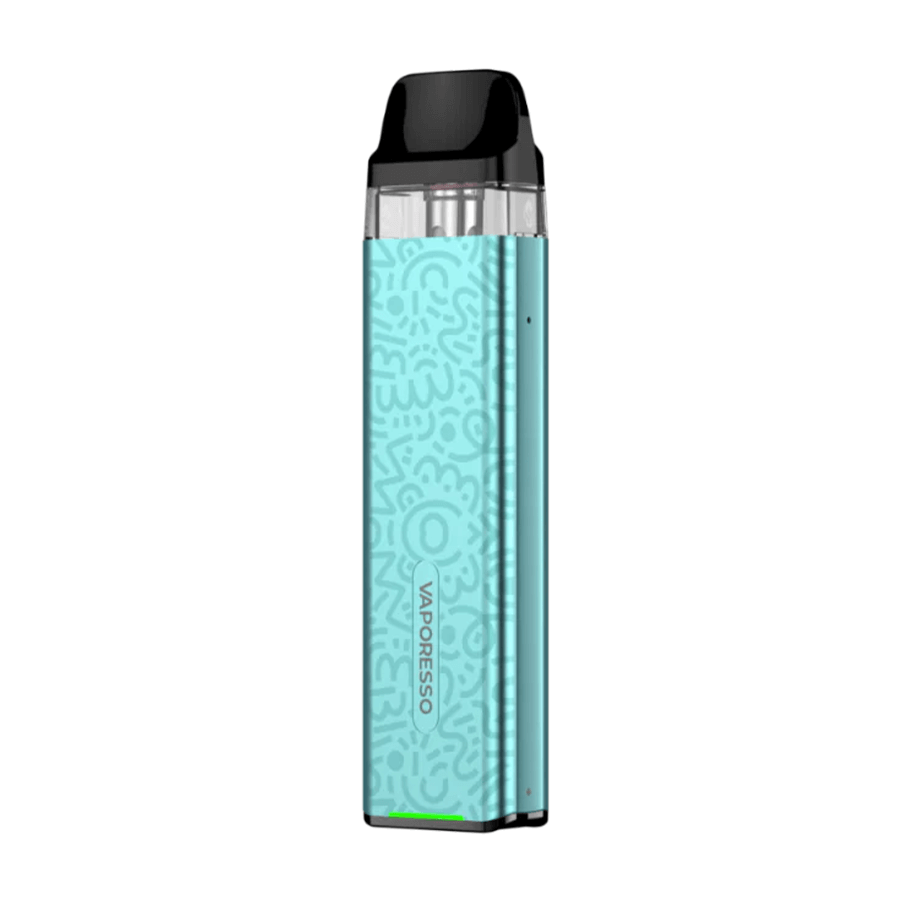
The Vaporesso Xros 2 is a compact, refillable pod vape. It’s designed for both mouth-to-lung (MTL) and restricted direct-lung (RDL) users. Here are some key features:
- 1000mAh battery for long-lasting use
- Adjustable airflow for custom vapor feel
- Type-C charging for fast power-up
- Satisfying pod system with leak-resistant technology
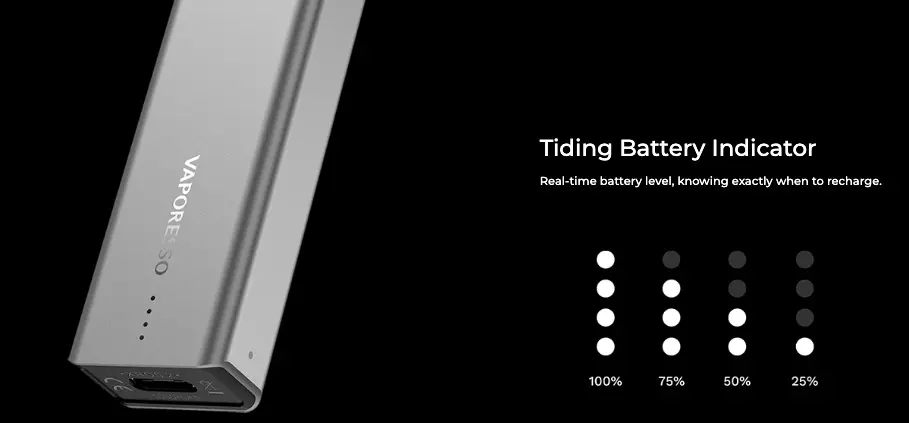
This model is popular because it’s easy to use and maintain. The device uses LED indicators to communicate with the user. These lights tell you about battery life, charging status, and errors—like the blinking 3 times signal.
What Does “blinking 3 Times” Mean On The Vaporesso Xros 2?
When your Xros 2 blinks 3 times, it’s trying to tell you there is a problem. This is not a random light show—it’s a built-in warning. Here’s what it typically means:
- Connection Problem: The device cannot connect properly with the pod or coil.
- Short Circuit: There is a possible short circuit in the pod or coil.
- Improper Pod Installation: The pod is not inserted correctly or is loose.
- Dirty or Wet Contacts: The connectors between the pod and battery are dirty or wet.
- Damaged or Faulty Pod: The pod or coil may be burnt out or defective.
These are the main reasons for the three blinks. Understanding this helps you fix the problem quickly.
Credit: wacopedaltours.com
Common Causes: A Closer Look
Let’s explore each cause in detail, so you know what to check and how to respond.
1. Pod Connection Problems
The pod is the small tank that holds your e-liquid. Inside, there’s a coil that heats up to produce vapor. The pod must connect well with the device’s contacts. If the pod is loose, misaligned, or has a problem, the device will blink 3 times.
Signs Of A Connection Issue
- The device does not fire when you inhale or press the button.
- The LED blinks but nothing happens.
- Adjusting or removing the pod sometimes fixes the problem for a moment.
2. Short Circuit Detection
Vape devices have safety features to prevent electrical problems. If the Xros 2 detects a short circuit, it blinks 3 times and stops working. A short circuit can happen if:
- The coil is damaged or has a manufacturing defect.
- There is liquid inside the device causing a bridge between contacts.
- The pod or device has internal moisture or debris.
3. Improper Pod Installation
Sometimes, the pod is not pushed in all the way. This prevents the coil from connecting with the device’s power supply. Even a small gap can cause the blinking 3 times error.
4. Dirty Or Wet Contacts
The pod and device connect through metal contacts. If these are dirty, wet, or covered in e-liquid, the connection weakens. The device’s chip senses this and warns you with the 3 blinks.
5. Damaged Or Faulty Pod
Pods wear out over time. The coil inside can burn out or break. Sometimes, a new pod might be defective from the factory. If the device senses something wrong, it blinks 3 times.
Step-by-step Troubleshooting: Fixing The 3 Blinks
Solving the blinking 3 times issue is usually simple. Follow these steps in order. Most users find the problem quickly with this approach.
Step 1: Remove And Reinsert The Pod
Take out the pod, check for debris, and push it back in firmly. Make sure you hear a “click” or feel it set into place. Test the device. If it still blinks, move to the next step.
Step 2: Clean The Contacts
Use a cotton swab or dry tissue to clean the metal contacts on both the pod and the device. Make sure everything is dry—never use a wet cloth. Even a small drop of e-liquid can cause problems.
Step 3: Try A Different Pod
Insert a new or working pod. If the device works, the original pod is probably damaged. If not, continue troubleshooting.
Step 4: Check For E-liquid Leaks
Look inside the device and pod for signs of leaks. Clean any residue you see. Leaks can cause short circuits or block the electrical connection.
Step 5: Check The Coil
If you have a pod with a replaceable coil, remove and examine it. Does it look burnt or damaged? Replace it with a new coil and test again.
Step 6: Inspect The Battery
If none of these steps work, the problem might be in the device itself. Check for visible damage or dirt around the battery area. If the device has been dropped or exposed to water, it may need professional repair.
Step 7: Reset Or Charge The Device
Plug the device into a charger and let it fully charge. Sometimes, low battery can trigger error signals. After charging, test the device again.
When To Seek Professional Help
If you’ve tried all the steps and your Vaporesso Xros 2 still blinks 3 times, the device may have a hardware fault. Contact Vaporesso support or visit a trusted vape shop for help. Don’t try to open or repair the device yourself—this can be dangerous and void your warranty.
Credit: renate-dijkstra.nl
Practical Tips To Avoid The 3 Blinks Problem
Prevention saves time and keeps your device working well. Here’s how to reduce the chance of seeing the blinking 3 times error:
- Insert pods gently but firmly—don’t force them.
- Clean contacts weekly with a dry tissue or cotton swab.
- Store your device upright to prevent leaks.
- Replace pods and coils regularly (every 1–2 weeks for average users).
- Avoid overfilling the pod with e-liquid.
- Keep your device away from water or extreme humidity.
- Use original Vaporesso pods and coils to ensure compatibility.
- Handle with care—avoid dropping or shaking the device.
Many new users forget to clean contacts or check for e-liquid leaks. These small steps make a big difference.
Comparing The Xros 2 With Other Vaporesso Devices
How does the Xros 2 compare with other models when it comes to error signals and troubleshooting? Here’s a quick look:
| Feature | Vaporesso Xros 2 | Vaporesso Luxe Q | Vaporesso Xros Mini |
|---|---|---|---|
| Battery Capacity | 1000mAh | 1000mAh | 1000mAh |
| Pod Compatibility | Xros Pods | Luxe Q Pods | Xros Pods |
| Error Indicator | Blinks 3 times | Blinks 3/5 times | Blinks 3 times |
| Airflow Control | Adjustable | Fixed | No |
| Charging Port | Type-C | Type-C | Type-C |
All these models use similar LED signals for errors. The Xros 2 is easy to troubleshoot, especially for beginners.
Real-world Examples: User Experiences
Hearing from other users can help. Here are two scenarios based on real customer feedback:
Case 1: The Sticky E-liquid Problem
Anna noticed her Xros 2 blinking 3 times after every puff. She removed the pod and found sticky e-liquid on the contacts. After cleaning with a tissue, the device worked like new. She now cleans her device every few days.
Case 2: Faulty Pod Out Of The Box
James bought a new pack of pods. When he tried the first pod, his device blinked 3 times. Swapping to another pod fixed the issue. The first pod was defective, but the device was fine.
How To Know If The Problem Is Your Pod Or Device
Sometimes, it’s hard to tell if the issue is the pod or the device. Here’s a simple test:
- Try a different, known-working pod. If the device works, the old pod is the problem.
- If every pod blinks 3 times, the device itself may have a fault.
Here’s a summary table to help you decide:
| Test | Result | Likely Issue |
|---|---|---|
| New pod works | No blinking | Old pod faulty |
| All pods blink | Blinks 3 times | Device issue |
| After cleaning, works | No blinking | Dirty contacts |
This step can save you time and money.
Advanced Troubleshooting: When The Usual Fixes Don’t Work
If you have tried all basic fixes and the problem continues, consider these advanced steps:
Check For Firmware Issues
Some vape devices have updatable firmware. While the Xros 2 does not, future models might. Always check the manufacturer’s website for updates or recalls.
Test Charging Cables And Power
A faulty charging cable can sometimes cause strange device behavior, including LED errors. Try a different cable and wall adapter. Make sure your device charges fully.
Inspect For Device Damage
If your Xros 2 has been dropped or exposed to water, internal damage may be the cause. Look for cracks, swelling, or corrosion. If you see any of these, do not use the device—get it checked by a professional.
Contact Vaporesso Support
If nothing else works, reach out to the company. Vaporesso offers support and warranty options. You can find their contact information on their official site: Vaporesso Official Support.
Maintenance Schedule For Your Vaporesso Xros 2
Regular care keeps your device in top shape. Here’s a sample maintenance schedule:
| Task | How Often | Details |
|---|---|---|
| Clean contacts | Weekly | Use dry tissue/cotton swab |
| Replace pod/coil | 1-2 weeks | Earlier if flavor drops or burns |
| Check for leaks | Every refill | Wipe any e-liquid immediately |
| Charge battery | As needed | Do not overcharge overnight |
Sticking to this schedule helps prevent most common problems, including the blinking 3 times error.

Credit: www.sepedagogia.es
Non-obvious Insights Most Beginners Miss
Many guides repeat the basics, but here are two less obvious tips:
- Pod Age Matters: Even if you use the same pod for weeks without issues, micro-damage builds up. This can cause sudden errors. It’s smart to replace pods before they fail, especially if you vape often.
- Environmental Factors: High humidity, rapid temperature changes, or pocket lint can cause contact issues. Store your device in a clean, dry place—ideally in a pouch or dedicated pocket.
Most beginners don’t realize how much small details, like lint or humidity, affect pod connections.
Safety Reminders
Never ignore error signals on your vape device. The blinking 3 times alert is there to protect you from electrical problems. Using a device with a suspected short circuit or water damage can be dangerous. Always fix the issue before vaping again.
Also, only use compatible pods and coils. Cheaper, off-brand parts might cause more errors or even damage your device.
When To Replace Your Vaporesso Xros 2
Every vape device has a lifespan. If your Xros 2 continues to show errors after many fixes, or if you notice battery issues, it may be time for a new device. Signs include:
- Battery doesn’t hold a charge
- Device heats up abnormally
- Frequent error signals (blinking, etc.)
- Physical damage or visible wear
Staying safe is more important than saving money by using an old device.
Frequently Asked Questions
Why Does My Vaporesso Xros 2 Blink 3 Times Even With A New Pod?
This usually means a connection problem. Even new pods can have factory defects or may not be inserted properly. Always check for dirt or e-liquid on the contacts and try multiple pods if possible.
Can I Fix A Short Circuit On My Xros 2 Myself?
You can try cleaning the contacts and replacing the pod. If the problem continues, do not try to open or repair the device yourself. Seek professional help or contact Vaporesso support.
How Often Should I Replace My Xros 2 Pod To Prevent Errors?
For most users, every 1–2 weeks is ideal. If you notice a drop in flavor, burnt taste, or error signals, replace it sooner.
Is It Safe To Use Off-brand Pods Or Coils In My Xros 2?
No. Off-brand parts may not fit perfectly and can cause errors like blinking 3 times. Always use original Vaporesso pods and coils for best results.
Where Can I Find More Help If My Device Keeps Blinking 3 Times?
You can visit the Vaporesso Official Support page for expert help, warranty information, and troubleshooting guides.
Taking care of your Vaporesso Xros 2 is simple once you know what to look for. The blinking 3 times signal is your device’s way of asking for a little attention—don’t ignore it. By following the advice in this guide, you’ll keep your vape working smoothly and stay safe with every puff.