
The small LED at the tip of a Timeless disposable vape is easy to ignore—until it starts blinking. Suddenly, a simple puff is replaced by a flashing light, and you are left wondering if your device is broken, empty, or just being temperamental. For many, a blinking vape is confusing and frustrating, especially for those new to disposables. This problem is more common than you might think, and it doesn’t always mean your vape is dead. In fact, there are several reasons why your Timeless disposable might be blinking, and knowing how to decode these signals can save you money and stress.
Understanding what causes this blinking and what you can do about it is important if you want a smooth vaping experience. This article will break down the most common causes, explain what you can try at home, and help you know when it’s time to say goodbye to your vape.
Whether you are a beginner or have used disposables for a while, you’ll find practical advice and some useful insights that most guides miss.
What Is A Timeless Disposable Vape?
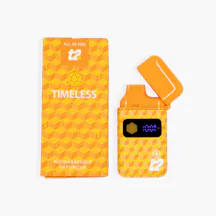
A Timeless disposable vape is a single-use, pre-filled vaping device made for convenience. You don’t have to charge, refill, or assemble anything. Once you finish the e-liquid inside, you simply throw it away and start a new one. These vapes are popular for their flavor variety and portability—they fit in your pocket and are ready whenever you want a puff.
Unlike traditional box mods or refillable pens, disposables like Timeless are designed for simplicity. Most models have no buttons. You inhale, and the device activates automatically. The small LED light at the tip serves as the only indicator of the device’s status: power, function, or problems. That’s why when it blinks, users pay attention.
Why Do Timeless Disposable Vapes Blink?
A blinking light on a disposable vape is a built-in signal. It’s not just random; it tells you something about your device. Here are the main reasons why your Timeless disposable vape might start blinking:
- Low Battery: The most common reason. Most Timeless disposables can’t be recharged, so a blinking light usually means the battery is almost empty or completely dead.
- Empty E-Liquid: If there’s no more e-liquid, some devices blink to signal it’s time to dispose of the vape.
- Short Circuit or Device Error: If there’s a problem with the internal wiring or coil, the device may blink as a safety warning.
- Overuse Protection: Puffing for too long or too often can trigger a safety timer, causing the light to blink.
- Clogged or Blocked Airflow: Sometimes the device can’t deliver vapor properly, and a blinking light signals this blockage.
- Temperature Issues: If the device gets too hot or cold, it may blink to protect its components.
Most users assume a blinking light always means the vape is dead, but that’s not always true. Sometimes, the cause is simple and can be fixed at home.

Credit: grupolabrasa.com
How To Identify The Blink Pattern
Timeless disposable vapes use different blink patterns to show different issues. While not all models are the same, here are some common patterns and what they usually mean:
- Fast blinking (5-10 times): Usually a low battery or empty e-liquid.
- Slow blinking (2-3 times): Often points to a short circuit or device error.
- Continuous blinking while inhaling: May signal a blocked airflow or a puff timer cutoff.
Check your device’s packaging or the official Timeless website for your model’s specific signals. Not all disposables use the same light codes.
Troubleshooting: What To Do When Your Timeless Vape Blinks
A blinking vape doesn’t always mean you need to throw it away. Here are practical steps to try before giving up:
1. Check For Blockages
Sometimes oil, dust, or debris can block the airflow. Try these steps:
- Gently tap the vape mouthpiece on a tissue to loosen any oil.
- Use a thin toothpick or a cotton swab to clean the mouthpiece, but do not force anything inside.
- Blow gently into the mouthpiece to clear any loose particles.
2. Test The Battery
Since most Timeless disposables are not rechargeable, a dead battery means it’s time for a new device. But if you haven’t used it much, the issue may not be the battery.
- Try short, gentle puffs rather than long, hard inhales.
- If the light blinks only on long inhales, it could be a puff timer or overheating, not the battery.
3. Let The Device Rest
Overuse protection can cause the light to blink if you take many puffs quickly.
- Wait 5-10 minutes, then try again.
- If the blinking stops, it was likely a safety timer.
4. Check For Device Damage
If you dropped the vape or it got wet, internal damage can cause blinking.
- Inspect for cracks, leaks, or wet spots.
- If you see damage, it’s safest to dispose of the device properly.
5. Try A Simple Reset
Some disposables reset if left unused for a while.
- Leave the vape unused for 30 minutes.
- Try again with a gentle puff.
If the blinking continues, your device is likely finished or has a serious fault.
Comparing Timeless With Other Disposable Vapes
Many brands use similar blinking systems, but not all are the same. Here’s a quick comparison of Timeless and other leading brands:
| Brand | Blinking Signals | Rechargeable | Common Issues |
|---|---|---|---|
| Timeless | Low battery, e-liquid empty, error, overuse | No | Battery, airflow blockages |
| Puff Bar | Low battery, short circuit | No | Dry hits, leaks |
| Elf Bar | Low battery, overuse, e-liquid empty | Some models | Coil burning, battery dying early |
| Hyde | Low battery, device error | Some models | Clogging, battery |
Timeless stands out for its simple signals, but it shares the same basic technology as most competitors.
Are All Timeless Disposables Non-rechargeable?
Most Timeless disposable vapes are not rechargeable. They are designed for single use, which makes them simple but limits their lifespan to the battery and e-liquid inside. Some newer brands have started to offer rechargeable disposables, but Timeless focuses on the classic, throw-away model.
This means once either the battery or e-liquid runs out, you cannot extend the device’s life. Attempting to recharge or refill it can be dangerous and is not recommended.

Credit: www.youtube.com
How Long Should A Timeless Disposable Vape Last?
The lifespan of your vape depends on two things:
- Puff Count: Most Timeless disposables offer between 200 and 800 puffs, depending on the model.
- Usage Habits: Taking longer, deeper puffs drains the battery and e-liquid faster. Short, gentle puffs extend the life.
Here’s a simple chart to help estimate device lifespan:
| Model | Approximate Puff Count | Expected Lifespan (average use) |
|---|---|---|
| Timeless Mini | 200 | 1-2 days |
| Timeless Standard | 400 | 2-4 days |
| Timeless Max | 800 | 4-7 days |
These are average numbers. If you share your vape or use it heavily, it may not last as long.
Common Mistakes When Using Disposable Vapes
Even experienced users make simple mistakes that shorten the life of their devices or trigger unnecessary blinking. Watch out for these common errors:
- Storing in Extreme Temperatures: Leaving your vape in a hot car or freezing bag can damage the battery and e-liquid, causing blinking.
- Taking Long, Hard Puffs: Overly strong inhales can trigger the cutoff timer or even flood the coil, resulting in a flashing light.
- Ignoring Regular Cleaning: Dust or oil buildup in the mouthpiece can block airflow. A quick clean every few days can prevent problems.
- Shaking or Dropping the Device: Rough handling damages internal parts, often leading to device errors or leaks.
- Trying to Recharge Non-Rechargeable Models: Some people try to open or recharge their disposable vapes. This is unsafe and can cause fires, leaks, or injury.
A less obvious mistake is storing the vape upright for long periods. E-liquid can pool unevenly, making the coil dry out and triggering a blinking light.
Safety Tips And Responsible Use
Disposable vapes are easy to use, but they still contain lithium batteries and concentrated liquid. Here are safety basics:
- Never try to open or modify your vape. This can cause leaks, shocks, or even explosions.
- Dispose of used vapes properly. Many cities have e-waste bins for batteries and electronics.
- Keep away from children and pets. The liquid inside is dangerous if swallowed.
- Avoid using a blinking vape if it smells burnt or leaks liquid—these are signs of serious damage.
If your device gets very hot or starts to smell odd, stop using it immediately.
What To Do If Your Vape Is Still Blinking
If you’ve tried all the troubleshooting steps and your Timeless disposable vape still blinks, it’s likely at the end of its life. Here’s what you can do:
- Dispose of it safely. Don’t throw it in regular trash; look for e-waste recycling in your area.
- Switch to a new device. Consider whether your usage habits are causing vapes to finish quickly.
- Contact the retailer or manufacturer. If your device was faulty out of the box, some companies offer replacements or refunds.
Credit: grupolabrasa.com
The Hidden Cost Of Blinking: Wasted E-liquid
One overlooked problem is that some devices blink and stop working while there’s still liquid left inside. This happens if the battery fails before the e-liquid is used up. It’s frustrating, but it’s common with non-rechargeable disposables.
Manufacturers balance the battery size and liquid amount, but heavy users sometimes run out of battery first. If you notice this often, consider a brand with a higher battery capacity or a rechargeable model.
The Environmental Side: Disposables And E-waste
Disposable vapes, including Timeless, are convenient but create a lot of electronic waste. Each device contains a small lithium battery and plastics that don’t break down easily. Millions of disposables are thrown away every month, which is a growing concern.
Some cities and vape shops offer recycling programs. If you care about the environment, look for these options. For more information on e-waste and recycling, visit the official EPA Electronics Recycling page.
Advanced Insights: What Most Guides Don’t Tell You
Most articles repeat the basics, but here are two important things beginners miss:
- Voltage Drop-off: As the battery nears empty, the power output drops. This means vapor gets weaker before the light blinks. If you notice less vapor or flavor, the battery is probably low even if the light isn’t blinking yet.
- Internal Condensation: Sometimes, condensation builds up inside the device, especially if you use it in humid environments. This can cause false error signals or blinking. If your vape blinks but feels heavy or slushy inside, internal moisture could be the cause. Unfortunately, there’s no safe way to fix this at home.
When Is It Time To Upgrade?
If you find yourself replacing Timeless disposables often, it may be time to look at other options:
- Rechargeable disposables: Some brands offer devices with USB charging, giving you more use from each vape.
- Pod systems: These are still simple but allow you to replace the pod or recharge the battery, reducing waste and cost over time.
- Traditional refillables: If you vape daily, consider a refillable pen or mod for better long-term value.
Compare your usage with other options:
| Device Type | Initial Cost | Maintenance | Environmental Impact |
|---|---|---|---|
| Disposable | Low | None | High (e-waste) |
| Rechargeable Disposable | Medium | Charge only | Medium |
| Pod System | Medium | Refill/replace pod | Lower |
| Refillable Mod | High | Refill/clean/replace coil | Lowest |
Knowing your usage can help you make a smarter choice.
Frequently Asked Questions
Why Is My Timeless Disposable Vape Blinking Even Though I Just Bought It?
If your new vape blinks right away, it might be a manufacturing fault, dead battery, or shipping damage. Try gentle puffs and check for blockages. If it still blinks, return it to the seller for a replacement.
Can I Recharge My Timeless Disposable Vape?
No, most Timeless disposables are not designed to be recharged. Forcing them open or trying to recharge is unsafe and can damage the battery or cause leaks.
What Should I Do With My Used Timeless Vape?
Dispose of it at an e-waste recycling center. Don’t throw it in regular trash, as the battery and chemicals can harm the environment. Some vape shops accept used devices for recycling.
How Can I Tell If My Vape Is Out Of E-liquid Or Just Has A Dead Battery?
If the vapor gets weak or tastes burnt before blinking, it’s probably out of e-liquid. If it blinks but still feels heavy, the battery may have died first. There’s no way to check inside without breaking the device, so rely on taste and weight.
Are Timeless Disposables Safe?
When used as directed, Timeless disposables are generally safe. Do not modify or try to open them. Always keep them away from children, pets, and heat sources.
If your vape blinks, it’s often just a signal—not a reason to panic. By understanding what the blinking means and how to handle it, you’ll get more value from your device and avoid common frustrations. Stay safe, use responsibly, and enjoy your vaping experience.