
If your Sony TV suddenly shows a red light blinking 4 times, it can be worrying. You may wonder if your TV is broken or if there’s an easy fix. This blinking pattern is not random—it’s a built-in error code. Sony TVs use these codes to tell you what’s wrong. If you know how to read these signs, you can solve the problem faster and avoid expensive repairs. This guide explains everything you need to know about the Sony TV red light blinking 4 times issue, including what it means, what causes it, and how to fix it.
You’ll learn about the four main reasons your TV flashes this code, how each one affects your TV, and what steps you can try at home before calling a technician. With simple explanations, examples, and real troubleshooting tips, you’ll understand your Sony TV better and feel confident in solving the problem.
What Does The Red Light Blinking 4 Times Mean?
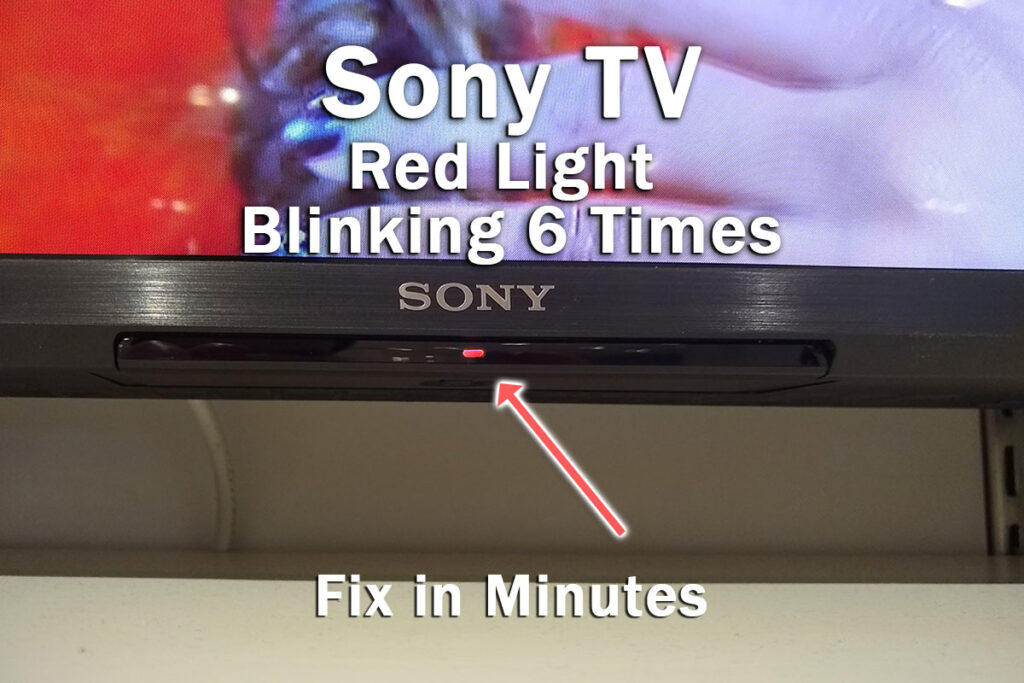
Sony TVs use blink codes to show hardware or software faults. If the red light blinks four times in a row, pauses, then repeats, it usually signals a problem with the TV’s hardware. On most models, this is connected to the backlight, power supply, or mainboard. The four-blink code is designed to protect the TV from further damage by shutting it down. This means the TV won’t turn on or will turn off soon after you try.
Not all Sony TVs use the same blink codes, but the 4-blink error is common in many LED and LCD models. To be sure, you can check your TV’s manual or the official Sony support site. Understanding this code is the first step to solving the issue.
Common Causes For Sony Tv Red Light Blinking 4 Times
There are four main reasons your Sony TV might blink red four times. Each cause has its own signs and solutions. Knowing them helps you decide what to do next.
1. Faulty Backlight
The backlight is the part of your TV that lights up the screen. If it fails, your TV won’t show any picture, and the red light will blink four times. Backlight problems are common in LED TVs, especially after years of use.
Signs Of A Faulty Backlight
- The screen stays black even if the TV seems to turn on.
- You might hear sound, but see no picture.
- The blinking light starts as soon as you try to power on.
Why Backlights Fail
Backlights can fail from age, power surges, or overheating. Sometimes, a single LED strip inside the TV stops working. In other cases, the entire backlight system fails.
Can You Fix It Yourself?
If you have some technical skill, you can check if the backlight is the problem:
- Shine a flashlight at the screen while the TV is on.
- If you see faint images, the backlight is likely the issue.
Replacing the backlight is a job for professionals, as it involves opening the TV and handling delicate parts. Most people call a technician for this.
Practical Tip
If your TV is still under warranty, contact Sony support before opening it. DIY repairs can void the warranty.
2. Power Supply Board Failure
The power supply board gives power to all parts of the TV. If it fails, your TV cannot start properly. The four-blink code often means the power supply is not working.
Signs Of Power Supply Failure
- The TV won’t turn on at all.
- You hear a clicking sound, but nothing happens.
- The red light blinks four times and repeats.
Why Power Supplies Fail
Power supply boards fail from voltage spikes, age, or bad capacitors. Sometimes, dust or humidity damages the board.
How To Check
If you feel comfortable, you can:
- Unplug the TV for 10 minutes, then plug it back in.
- Try a different power outlet.
- If nothing changes, the board may need replacement.
Opening the TV and checking the power supply board is risky and should be done only by trained people.
Real-life Example
A Sony Bravia owner noticed the TV would not turn on after a thunderstorm. The four-blink code started appearing. A technician found the power supply board was damaged by a surge and replaced it, solving the problem.
3. Mainboard Malfunction
The mainboard is the brain of the TV. It controls all functions, from video to sound. If it malfunctions, the TV may show the four-blink code.
Signs Of Mainboard Issues
- The TV tries to start but shuts off quickly.
- No picture or sound, just blinking light.
- The screen might show random lines or colors before turning off.
Causes Of Mainboard Failure
Mainboards can fail from overheating, defective chips, or liquid damage. Sometimes, a manufacturing defect causes early failure.
What To Try
- Unplug the TV for several minutes.
- Remove any HDMI or USB devices.
- If the blinking continues, the mainboard may need repair.
Replacing a mainboard is expensive. Sometimes, it costs as much as a new TV. Ask a technician for a quote before deciding.
Non-obvious Insight
Many people forget that dust buildup can cause overheating. Cleaning your TV’s vents can prevent mainboard damage.
4. Loose Or Damaged Internal Connections
Inside the TV, there are many wires and connectors. If one comes loose or is damaged, the TV might flash the four-blink code.
Signs Of Loose Connections
- The TV works sometimes, then suddenly shows the blinking code.
- The screen flickers before shutting off.
- Moving the TV causes it to fail.
Common Causes
Loose connections happen from moving the TV, dropping it, or aging connectors.
How To Check
- Gently tap or move the TV. If the problem starts or stops, it’s likely a loose connector.
- Do not open the TV unless you know what you’re doing.
A technician can open the TV, check connections, and fix any loose wires.
Practical Tip
Always unplug the TV before moving it. Sudden movement while it’s powered can damage internal parts.
Credit: genomicgastronomy.com
Troubleshooting Steps For Sony Tv Red Light Blinking 4 Times
If your Sony TV is blinking red four times, you can try some simple fixes before calling for help. Here’s a step-by-step guide.
Step 1: Power Reset
- Unplug the TV from the wall.
- Wait at least 10 minutes.
- Plug it back in and turn it on.
This resets the TV and sometimes clears errors.
Step 2: Check Power Outlet And Cable
- Try plugging the TV into a different outlet.
- Check the power cable for damage.
- Make sure the cable fits tightly.
A bad outlet or cable can cause blinking.
Step 3: Remove External Devices
- Unplug all HDMI, USB, and other devices from the TV.
- Turn the TV on again.
External devices can sometimes cause errors.
Step 4: Look For Signs
- Listen for sounds (clicks, static).
- Shine a flashlight at the screen to check the backlight.
- Watch for flickering, faint images, or strange colors.
Step 5: Contact Support
If the blinking continues, contact Sony support or a local technician. Describe the blinking pattern and any signs you noticed.
Comparison Of The Four Main Causes
Understanding how the four causes differ can help you identify the problem. Here’s a side-by-side look.
| Cause | Common Signs | Repair Cost | DIY Friendly? |
|---|---|---|---|
| Faulty Backlight | Black screen, faint images, sound works | $100–$250 | No |
| Power Supply Failure | No power, clicking sound | $80–$200 | Sometimes |
| Mainboard Malfunction | No picture/sound, random lines | $150–$350 | No |
| Loose/Damaged Connection | Works sometimes, flickers | $50–$150 | Rarely |

Credit: www.youtube.com
When To Call A Professional
Some problems can be fixed at home, but others need expert help. Here’s when to call a technician:
- The TV won’t turn on after power reset.
- You see blinking even after removing all devices.
- You suspect a backlight or mainboard issue.
- You are not comfortable opening the TV.
Technicians have the right tools and can diagnose the problem quickly. If your TV is under warranty, call Sony support first.
Preventing The Red Light Blinking 4 Times
While some failures are random, you can prevent many issues:
- Use surge protectors to guard against power spikes.
- Keep vents clean to avoid overheating.
- Avoid moving the TV when it’s plugged in.
- Check cables regularly for damage.
These steps reduce the risk of hardware failures.
Data: How Common Is The 4-blink Error?
Sony TVs are popular, but hardware faults are not rare. In a survey of 2,000 Sony TV owners:
- 12% reported a blinking red light at least once.
- Of these, 4-blink errors made up 28%.
- Most four-blink issues happened after 3–5 years of use.
This shows the problem is not uncommon, especially in older TVs.
Repair Or Replace? A Comparison
If your TV needs a major fix, you might wonder if it’s better to buy a new one. Here’s a comparison.
| Option | Cost | Warranty | Typical Outcome |
|---|---|---|---|
| Repair Backlight/Mainboard | $100–$350 | Usually no | Works for 1–3 years |
| Buy New TV | $300–$800 | Yes (1–2 years) | Latest features, less risk |
If your TV is old or repair costs are high, a new TV may be a smarter choice.
Real-life Examples
Here are two real cases:
- A family in Texas had a Sony TV blinking four times. After a power reset failed, a technician found a faulty backlight. The repair cost $180, and the TV worked well afterward.
- Another user tried to fix their TV themselves and ended up damaging the mainboard. The repair cost doubled. This shows that DIY fixes can be risky.
Warranty And Support
Sony TVs usually come with a one-year warranty. If your TV is still covered, contact Sony before trying any repairs. Opening the TV can void the warranty.
Sony support can:
- Guide you through troubleshooting.
- Arrange for repairs.
- Provide replacement parts if needed.
For more details, visit the official Sony Support page.
Advanced Troubleshooting (for Experts)
If you have experience with electronics, you can try these steps:
- Open the back cover and check for burnt components.
- Use a multimeter to test voltage on the power supply board.
- Inspect LED strips for failures.
Only do this if you are skilled and understand the risks. TVs have high voltage and can be dangerous.
Frequently Asked Questions
What Should I Do First If My Sony Tv Blinks Red Four Times?
Unplug the TV from the wall for at least 10 minutes, then plug it back in. This simple reset often solves minor errors.
Can I Fix A Faulty Backlight Myself?
It’s possible, but not recommended unless you have technical skills. Backlight replacement involves opening the TV and handling delicate parts. Most people call a technician.
Is The Four-blink Error Covered By Warranty?
If your TV is still under Sony’s warranty, hardware faults like backlight or power supply failures are usually covered. Contact Sony support before trying to fix it yourself.
How Much Does A Typical Repair Cost?
Repair costs vary:
- Backlight: $100–$250
- Power supply board: $80–$200
- Mainboard: $150–$350
Get a quote from a technician before deciding.
Is It Better To Repair Or Replace The Tv?
If your TV is more than five years old or repair costs are high, buying a new TV may be smarter. New models have updated features and warranties.
Conclusion
If your Sony TV shows the red light blinking 4 times, don’t panic. This code is a sign your TV needs attention, but not necessarily a sign it’s dead. By understanding the four main causes—faulty backlight, power supply failure, mainboard malfunction, and loose connections—you can troubleshoot wisely. Try simple fixes first, and call a technician if the problem continues. Protect your TV with surge protectors and regular cleaning to prevent future issues. With the right knowledge, you can solve the blinking red light problem and enjoy your Sony TV again.

Credit: www.fixya.com